Once an owner understands that AI can run on a machine in their own office instead of in a cloud service across the border, the next question is always practical and always the same: what does it actually take? The hardware to run local AI has a reputation for being either impossibly expensive or reserved for people with a server room, and neither is true. You can run a genuinely useful private AI setup on a small box that sits on a shelf and costs less than a decent laptop. This piece is the straight, hype-free version of what that box needs to be.
I am going to keep this concrete, because the topic usually gets buried in jargon that is designed to make you feel like you need to hire an expert before you can even ask a question. You do not. The decisions are understandable, and once you see them laid out, the whole thing stops feeling like a mystery and starts feeling like buying any other piece of business equipment.
Why you would run AI on your own box at all
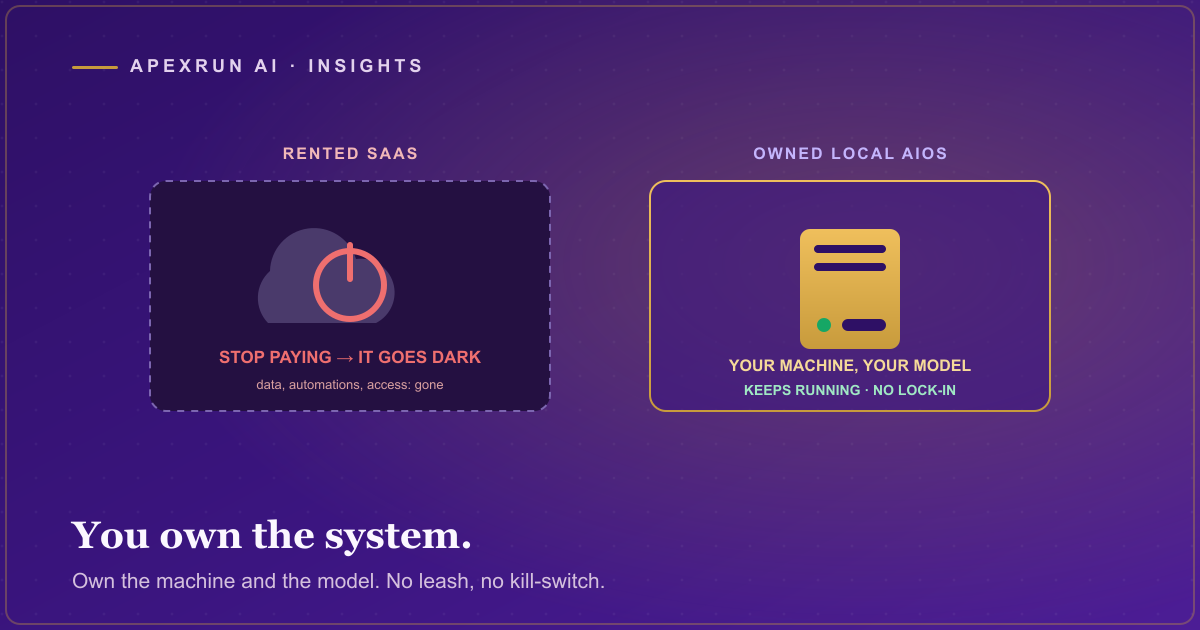
Quick recap, because it is the reason the hardware question matters. When AI runs on a machine in your office, your data never leaves the building. Client records, financials, whatever sensitive information the work touches, it all stays in-house, on hardware you own, never sent to a cloud service and never crossing into a foreign data centre. For a lot of businesses, especially in regulated professions, that is the detail that turns AI from interesting-but-risky into actually deployable, which is the case I made in full in why Canadian data residency is not a nice-to-have.
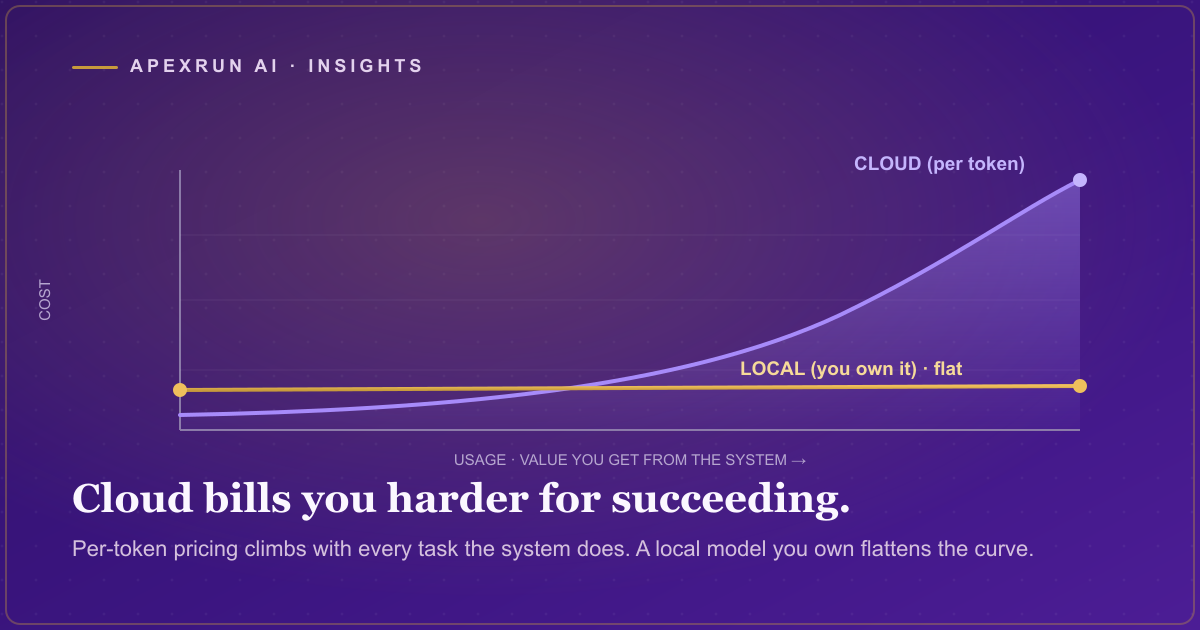
There is a second benefit that matters for the hardware conversation: once you own the box, the running cost of the AI work does not meter. A cloud service charges per use, so heavy use gets expensive in a way that is hard to predict. Your own machine does the work for the cost of the electricity, which is the practical version of the point I made in the zero-token-cost idea. The hardware is a one-time purchase, not a bill that grows with how much you use it.
The box: Mac Mini versus mini-PC
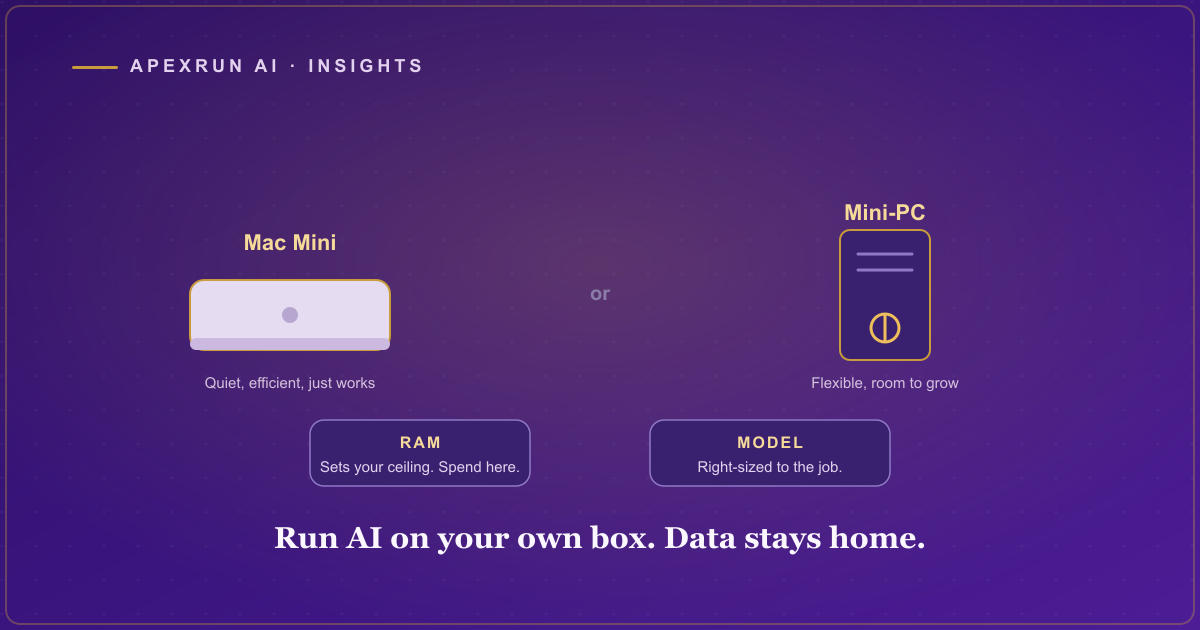
For most small businesses, the realistic choice comes down to two options, and both are small enough to sit on a shelf and quiet enough to live in an office.
The Mac Mini. Apple’s small desktop has turned out to be one of the best value machines for running local AI, because its chips handle this kind of work efficiently and its memory is fast and shared in a way that suits the models. It is quiet, it is small, it sips power, and a well-specced one runs capable models comfortably. For an office that wants something that just works and does not want to think about building a machine, this is usually the straightforward answer.
The mini-PC. A small Windows or Linux box, optionally with a dedicated graphics card, is the other route. This gives you more flexibility and, if you add a proper graphics card, more raw power for the money at the top end, at the cost of a bit more setup and noise. For a business that already has some technical comfort in-house or wants headroom to run larger models, a mini-PC with a good graphics card is a strong option.
Neither is a server. Neither needs a special room. Both are appliances you plug in, and the right choice is mostly about whether you value the Mac’s simplicity or the mini-PC’s flexibility.
The two specs that actually matter: RAM and the model
Ignore most of the numbers on the spec sheet. For running AI locally, two things determine what you can do, and everything else is secondary.
Memory, meaning RAM. This is the big one. The AI model has to fit in the machine’s memory to run, so how much RAM you have sets a hard ceiling on how large and capable a model you can run. This is the spec to spend on. As a rough practical guide, a machine with a modest amount of memory runs small, fast models fine for focused tasks, a mid-range amount opens up genuinely capable general-purpose models, and a generous amount lets you run the larger models that feel closest to the cloud services. If you are choosing where to put your money, put it here. RAM is what you will wish you had more of, never less.
The model itself. You do not run one giant AI. You run an open model sized to your machine and your task. Smaller models are faster and lighter and are often perfectly good for a specific, well-defined job like drafting or classifying. Larger models are more capable and more general but need more memory and run slower. The art is matching the model to the actual work: a focused task does not need a giant general model, and pretending it does is how people talk themselves into hardware they do not need. Right-sizing the model to the job is most of what separates a setup that works from one that was overbought.
The honest limitations
Here is the part the hype skips. A local model on a small box is not going to match the very largest cloud AI on every open-ended, do-anything task. If your need is one enormous model doing everything under the sun with maximum sophistication, a small in-office machine is not that, and I am not going to pretend it is.
But that is the wrong comparison for most business use. The work most businesses want automated, the drafting, the classifying, the summarizing, the following-up, the structured tasks, is exactly what a right-sized local model handles well. You are not trying to win a benchmark. You are trying to run your operational work privately and cheaply on hardware you own. For that, a small box with enough RAM and a sensibly chosen model is not a compromise, it is the correct tool, and the data staying in your office is worth more than the last few percent of capability you would gain by shipping it to the cloud. You can see how this fits into a full setup in what an AI operating system actually is.
Where to start
Do not buy a machine first. The mistake is picking hardware before you know the work, which is how people end up with too little RAM for what they actually need or too much box for a simple job. Decide what you want the AI to do, and let the work determine the model, and let the model determine the machine.
That order is exactly what the Free CEO Audit sets up. In one hour, direct with the decision-maker, we map the work you would want a private AI to run, and hand you a prioritized plan, so you know what the job actually needs before you spend a dollar on a box, instead of guessing at specs and hoping. The hardware is the easy part once you know what it is for.